

One mission, from request to invoice.
Protrix is organised around the mission, not around modules. Everything below happens to the same record, so the field, the customer and the finance side are never reconciling three versions of the same job.
The job arrives structured, not as a phone call.
Customers submit escort requests directly: route, vehicle, cargo profile, schedule and contact on site. Recurring corridors come in as a saved route code with its agreed price already attached.
Own detail or subcontractor, decided on one board.
Approved missions go to the dispatch board. Assign guards, vehicles and trailers from your own registers, or offer the leg out to a vetted subcontractor who accepts and staffs it themselves.
The field reports itself. The control room sees it happen.
Guards run the mission natively from the app; every status change, stop, photo and alarm lands on the mission timeline and the live map at the same moment. Nobody phones in an update.
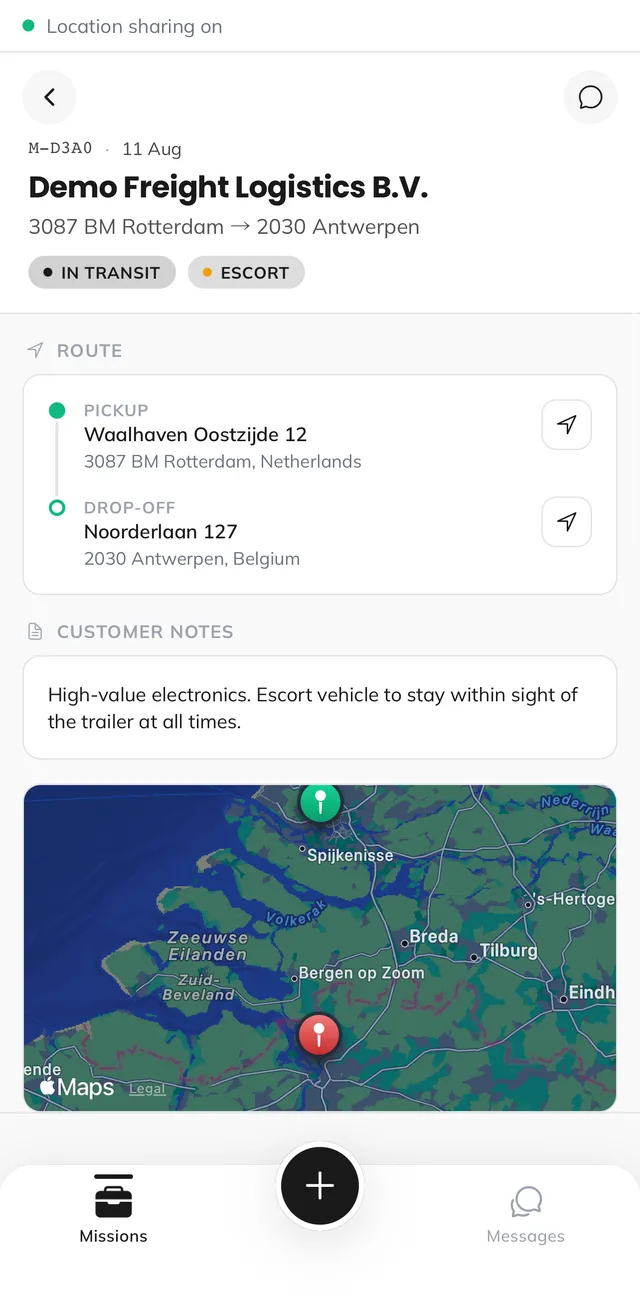

Mission timeline
Every event in order, with actor, time and position, the record you produce when a claim or a query arrives weeks later.
Command center
Incidents and alarms triaged in one screen, each already carrying its mission, detail and last known position.
Messaging, auto-translated
Threads scoped to the mission, translated inline, so language is not a reason an instruction was missed.
Completion, sign-off and billing on the same record.
A finished mission gets a digital sign-off. The accepted quote becomes an itemised invoice per leg, and the subcontractor payout is calculated against the same lines. No re-entry, no month-end reconstruction.
Operator console
Dispatch, live map, command center, fleet, quotes and invoicing.
Guard mobile app
Mission execution, status, GPS, evidence, stop logs, panic.
Customer portal
Request submission, quote approval, own-transport visibility, sign-off.
Subcontractor portal
Offered work, acceptance, own detail assignment, payouts per leg.
Eight languages in the product UI
Each party works in their own language, including the guard on the roadside and the customer approving a quote.
Walk one of your own missions through it.
Bring a real corridor and a real invoice dispute. That is the fastest way to see whether this fits how you operate.